Downloading Your Videos
HEADS UP: You need to do this on a desktop or laptop computer, not on a mobile device.
Menu
How to download one video at a time
Step 1: Go to your gallery link
You will be provided with a link to the gallery. The link will begin with https://photos.pagrimes.com/...'. If you didn’t receieve a link to your gallery, contact Parker.
Step 2: Click on the video you want to download
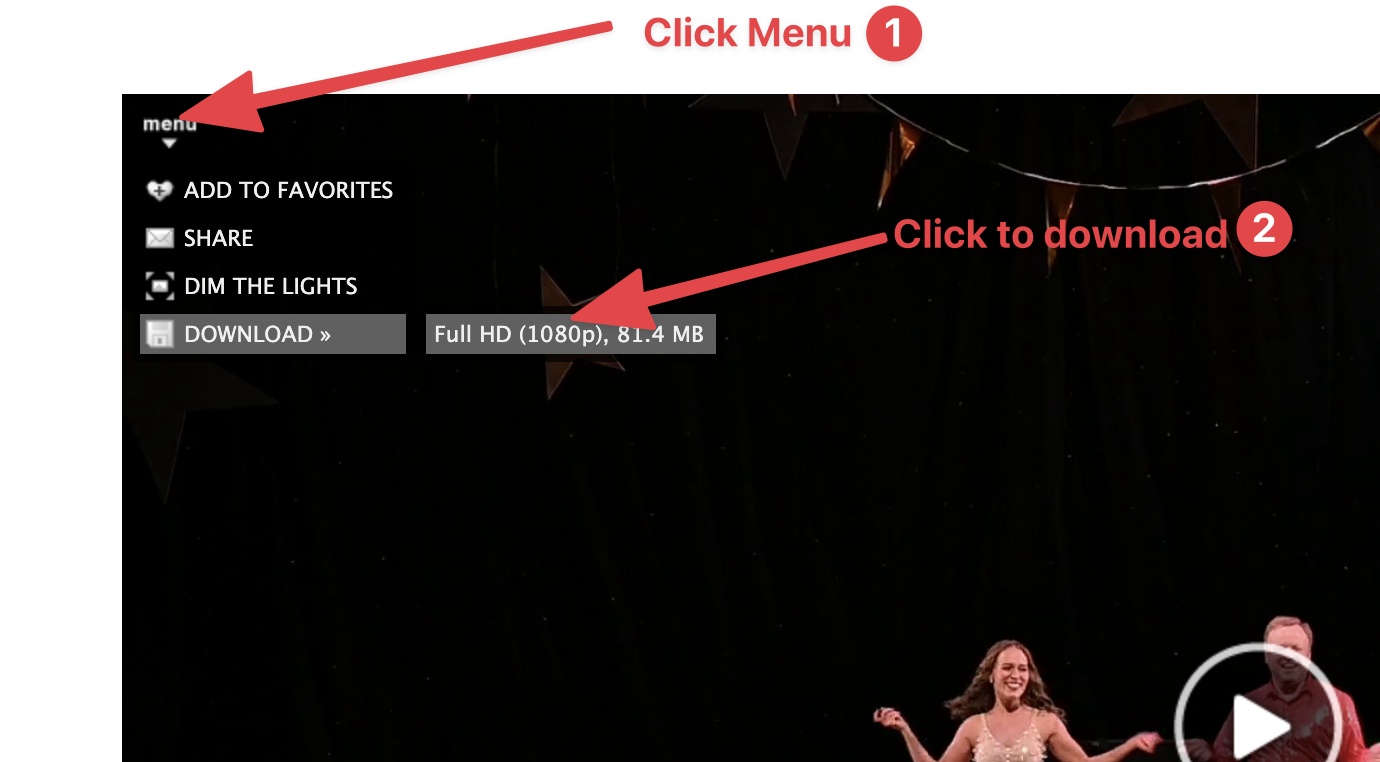
Step 3: Click “menu” and then click on “Full HD (1080p)…” to download
How to download multiple videos at once:
Step 1: Go to your gallery link
You will be provided with a link to the gallery. The link will begin with https://photos.pagrimes.com/...'. If you didn’t receieve a link to your gallery, contact Parker.
Step 2: Click “Select Videos”

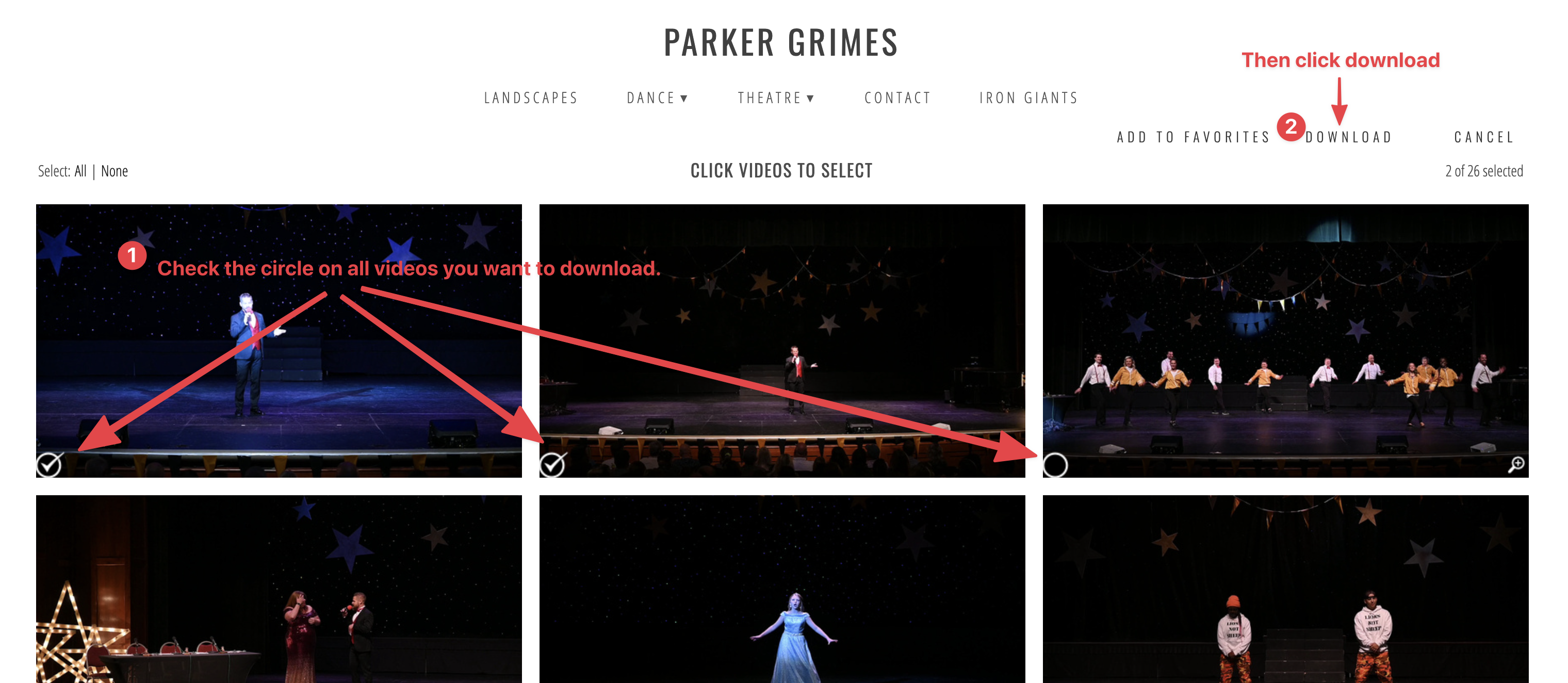
Step 3: Select the videos you want to download and click “Download”
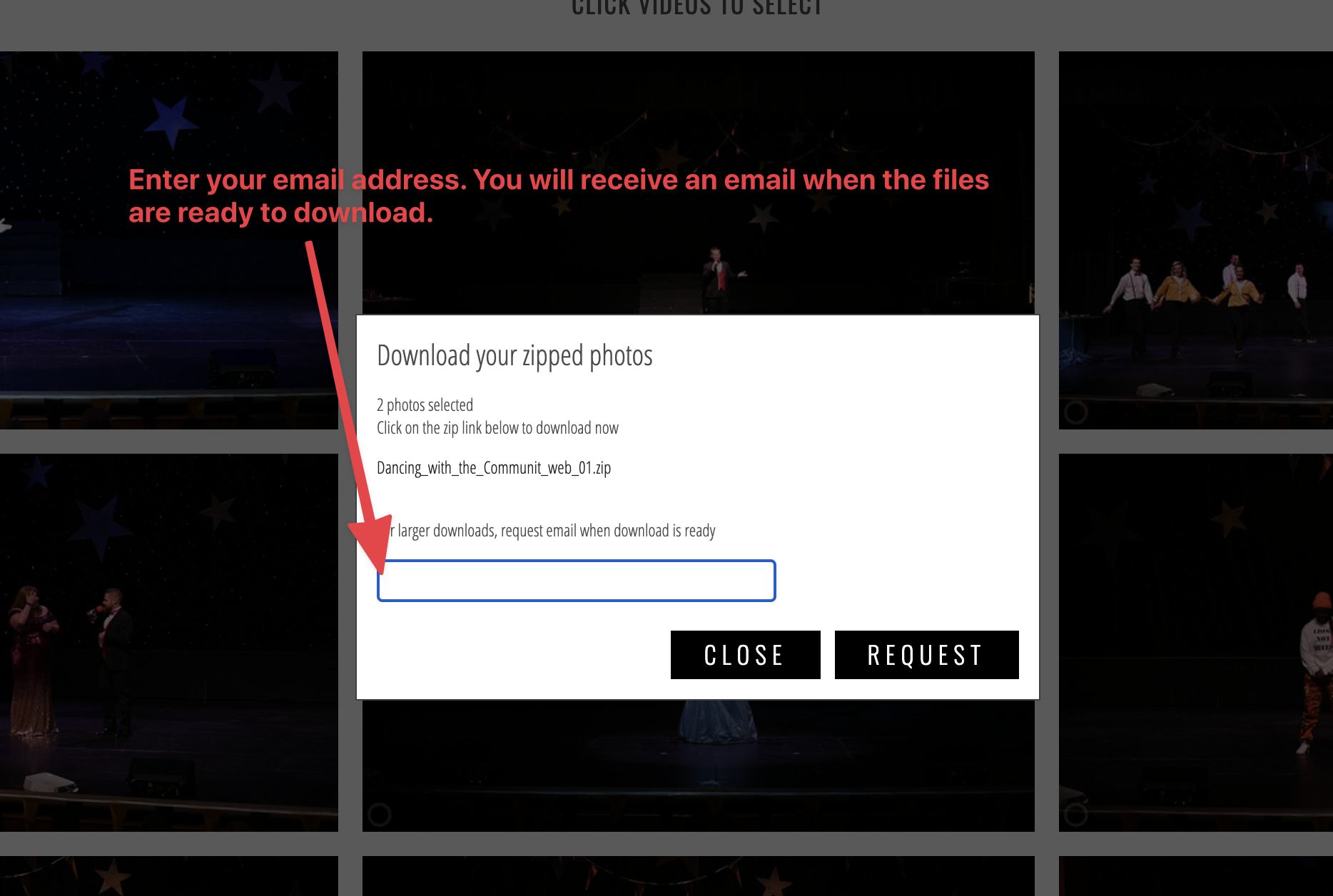
Step 4: Enter your email (may not be required)
If you selected more than one video, or if the video is large, you will be prompted to enter your email address where you will be notified when the download is ready.